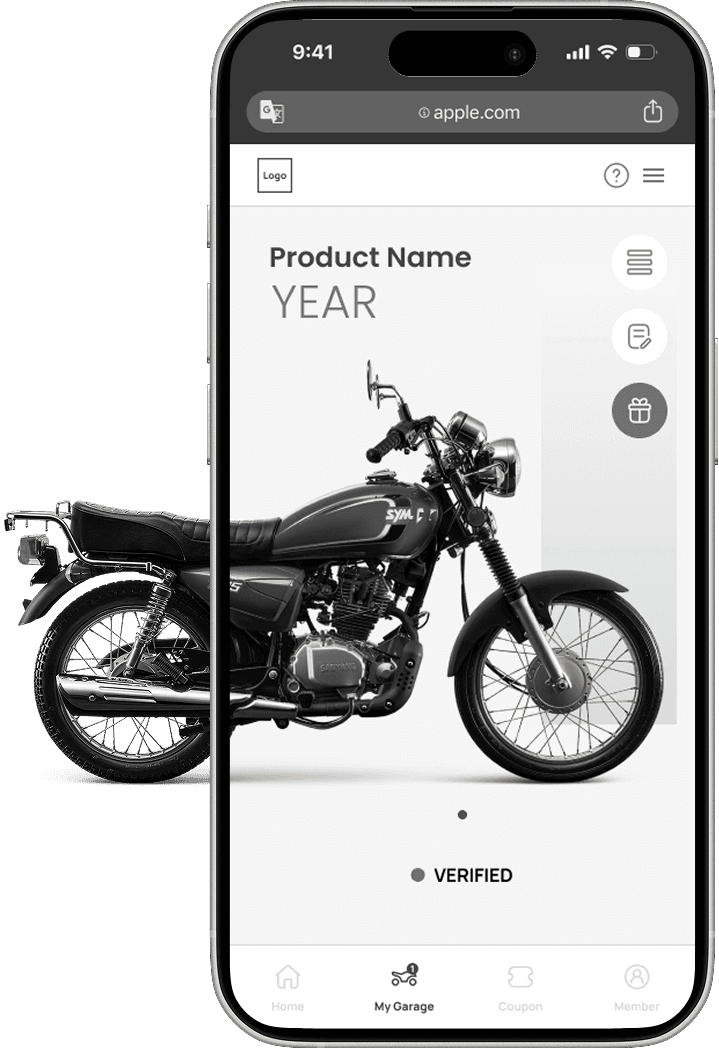

Emerging Market Motorcycler App: UX Redesign & Design System

Mobile-first UX strategy for the Nigerian market, building a scalable design system from scratch

CLIENT-BASED

WebApp

Design System

*Product de-identification exposure

Design Challenges

01

Version 2

UI iteration & redesign

Propose and optimize version 2 UI designs and variations based on client’s needs and requirements

02

Balance both business & user’s needs

Optimize product registration process and conduct usability test to vaildate design decisions.

03

Build design system &

team collaboration

Build brand design system from scratch and work with developers with a detailed handoff file.

Project Brief

In this project, I was responsible for the UI/UX design of the client's newly developed motorcycle membership platform.


I worked with the client on proposals and collaborated with a four-person software development team.

My main responsibility was taking over the first version of the UI design, optimizing the overall user experience and usability while maintaining the core functional architecture, and building the brand's design system from scratch.

Finally, before the product was launched, I left the project due to personnel changes; therefore, the portfolio page only displays de-identified design drafts.

Project Overview

Time

Sep. 2025 to Jan. 2026

4 months

Client

Qlink Motorcycle Nigeria

全豐利實業有限公司

Role & Team

First UX/UI Designer in a development team (1 BE, 2 FE, 1PM)
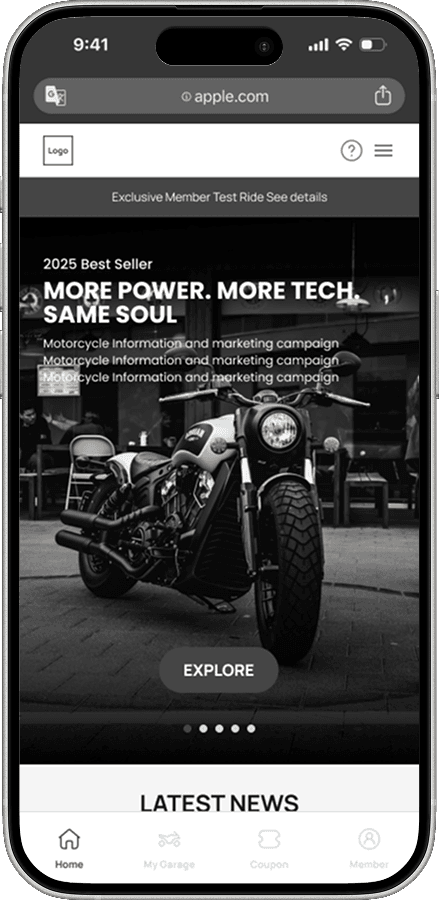
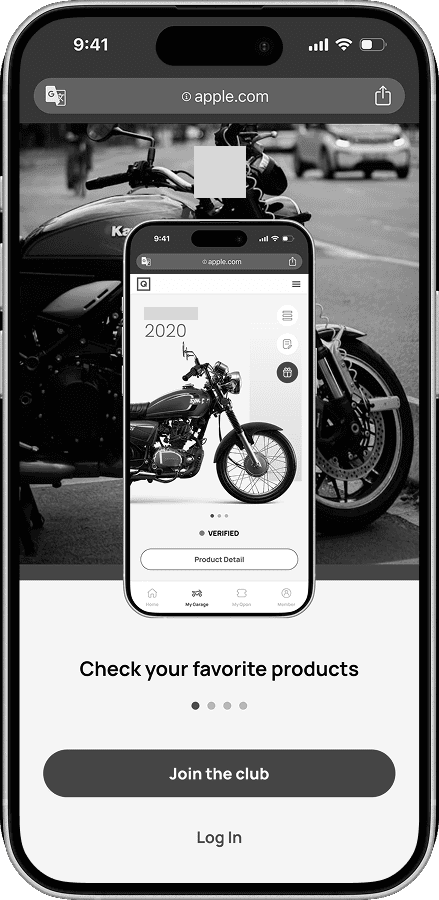
Product Mockups - Product de-identification exposure

01

Version 2 UI Redesign

Design iterations and optimizations based on client’s needs

Before & After

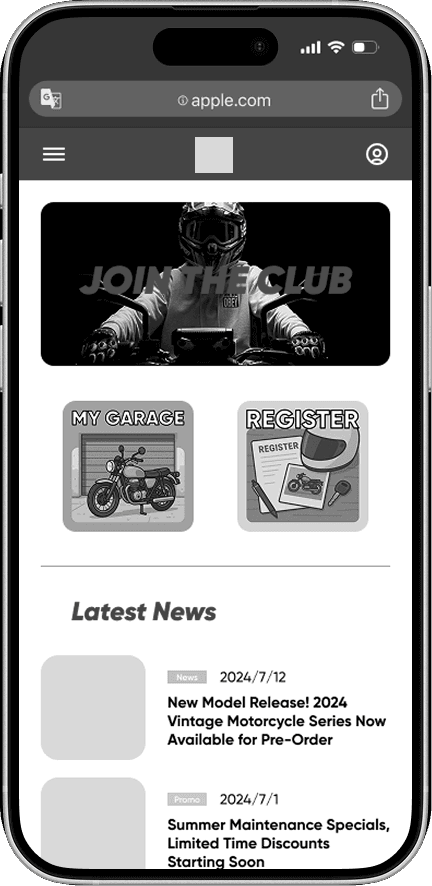
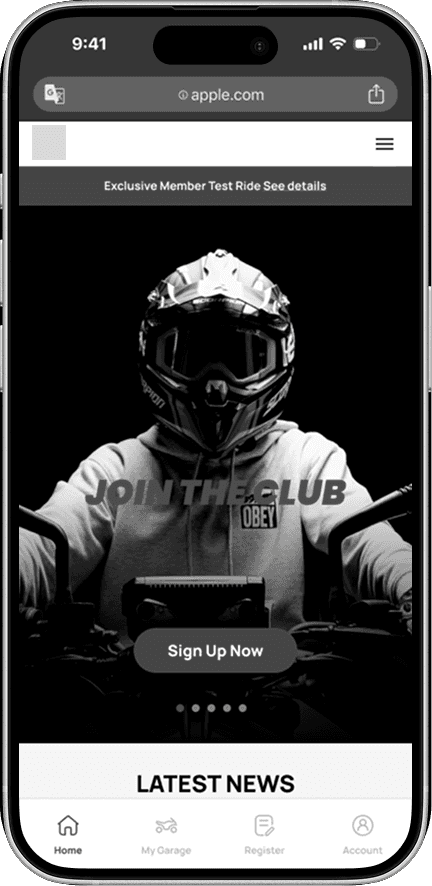
Home

Add a banner, bottom navigation bar, and move the logo on the left.


Design decisions:

Reduce information overload

Focus on only one task

Display important features on every page with a better information structure

Before

After

Before & After

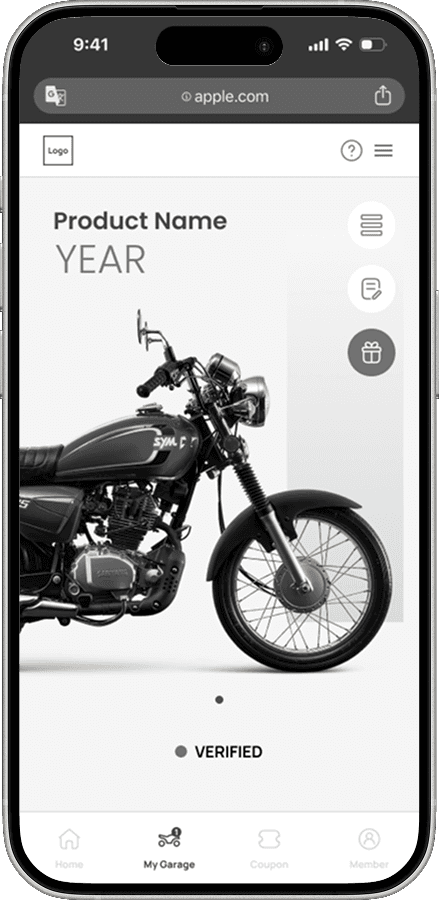
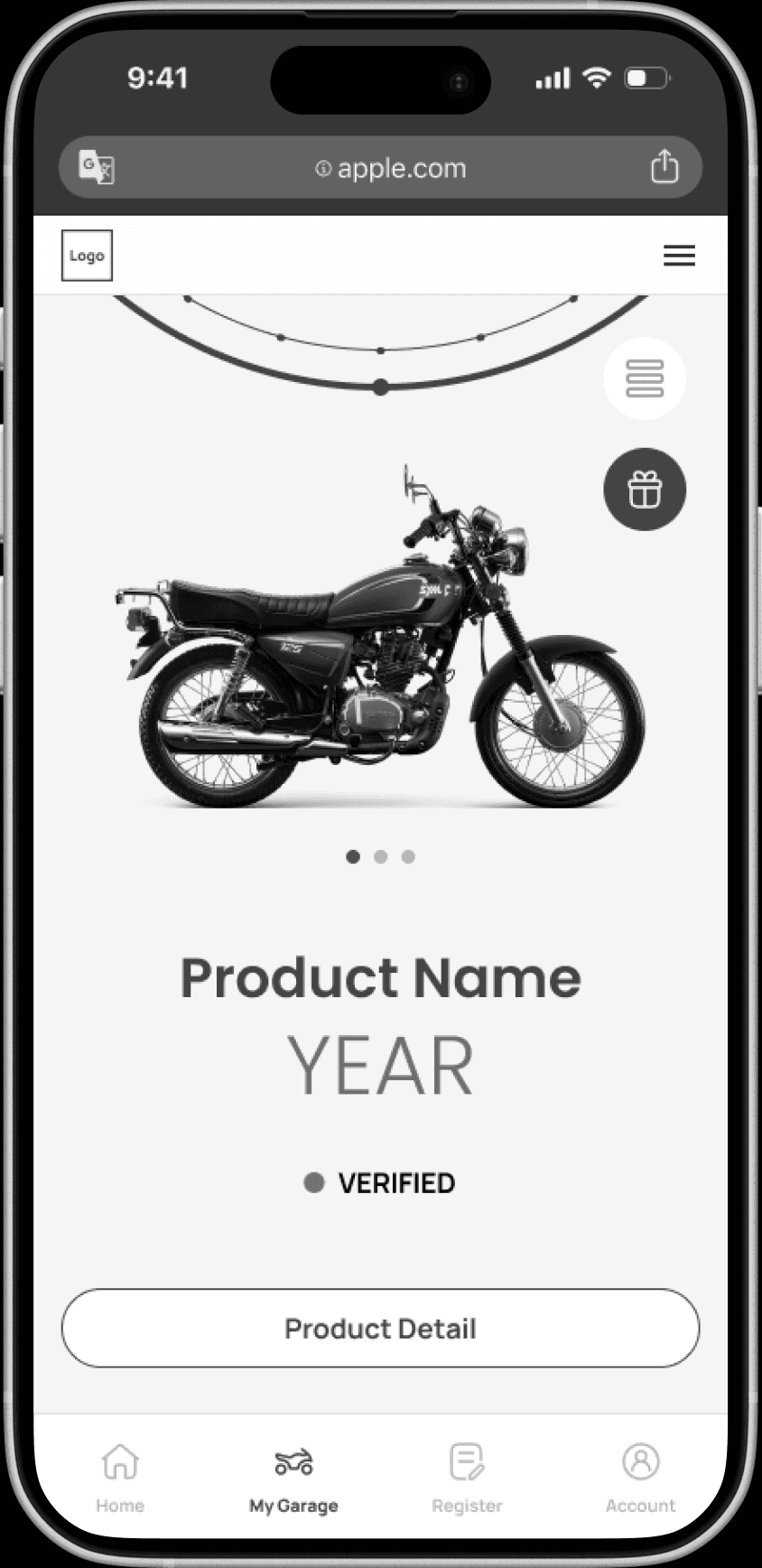
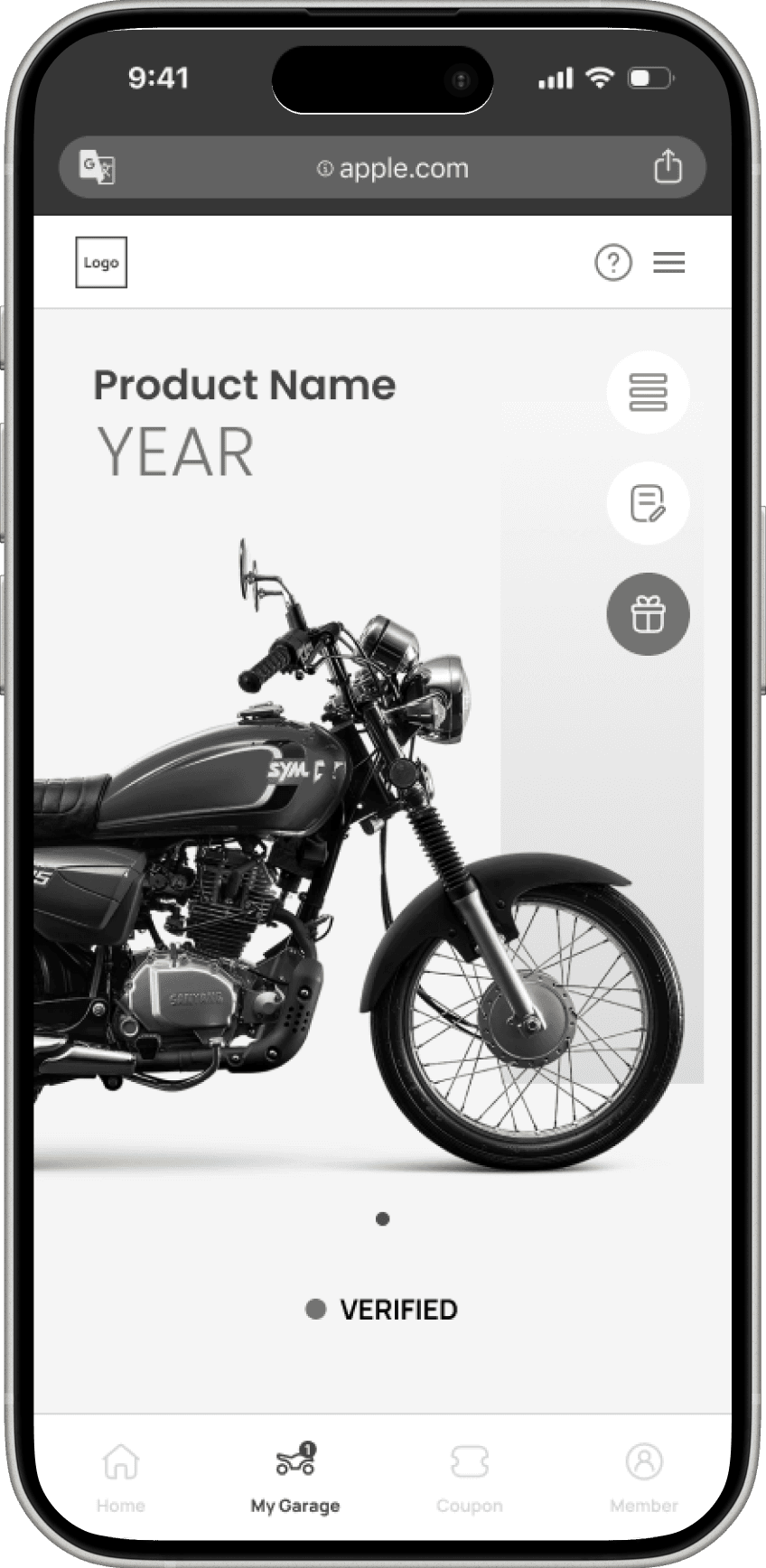
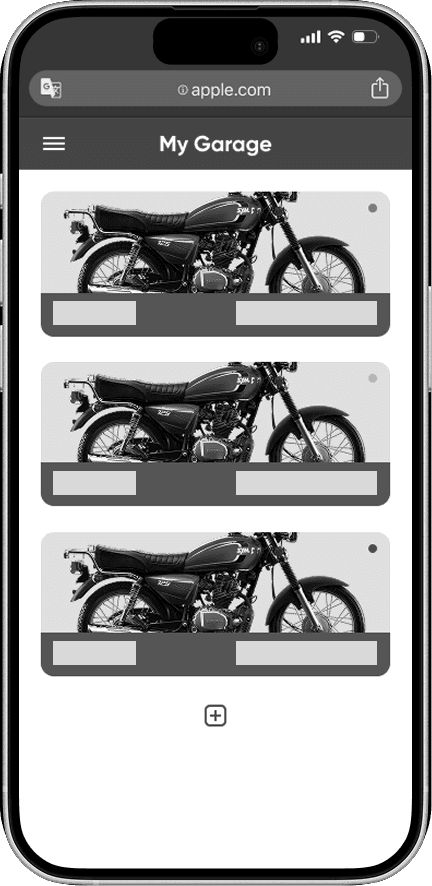
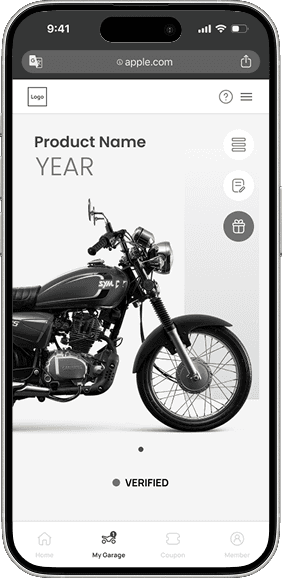
My Garage

Design decisions:

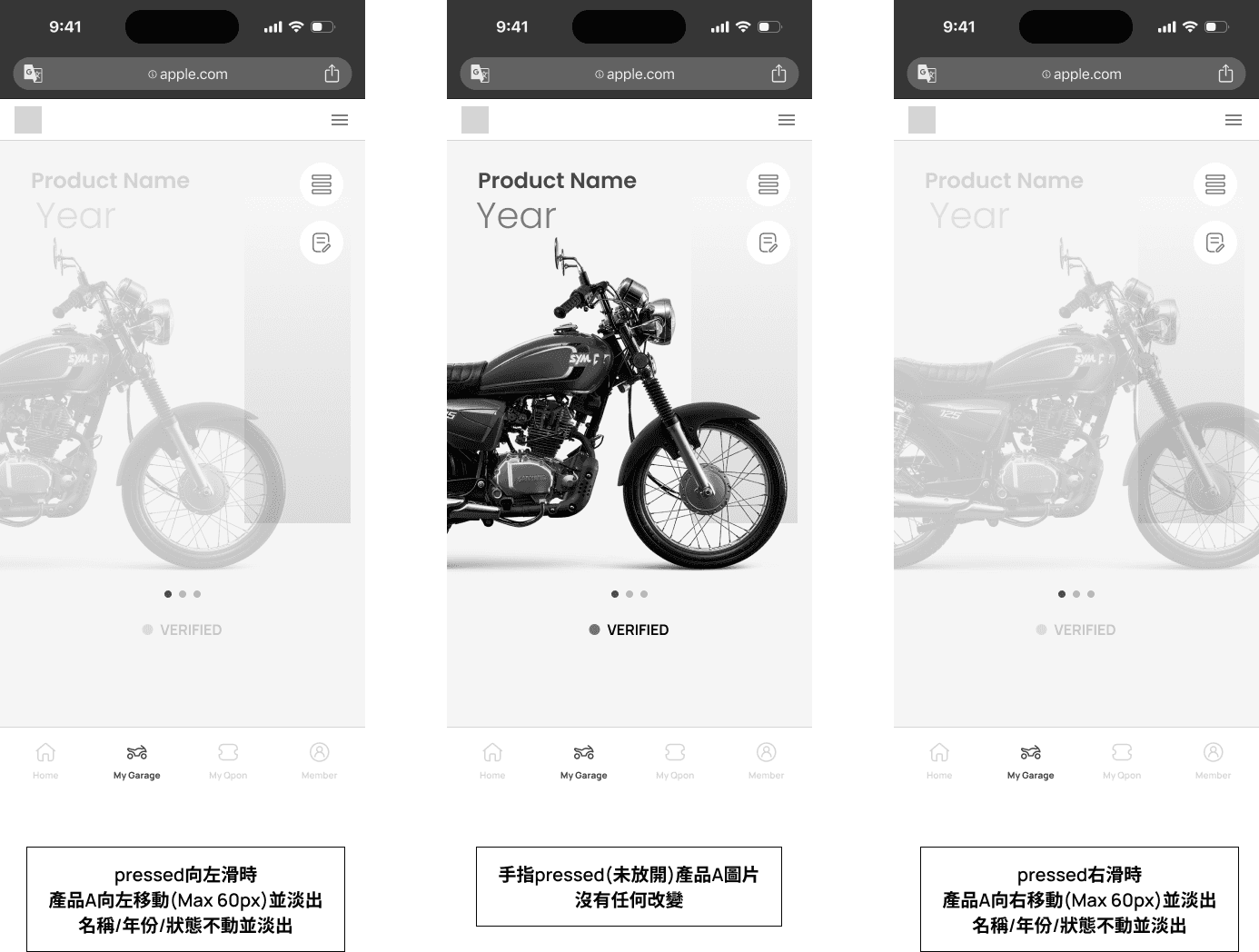
Easy of use: swipe left & right to switch between products, and click image to view product detail

Organize related features (register product & view product detail) into the same page

Aesthetics: Showcase product name and image to improve experience

Before
After
Before & After

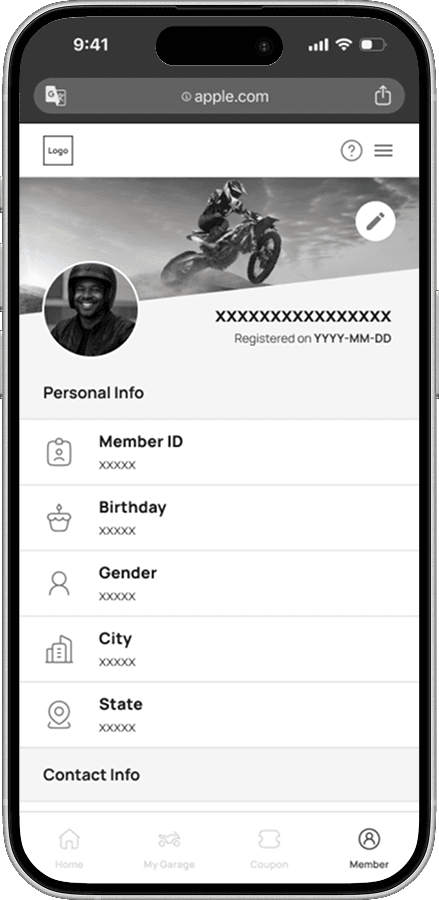
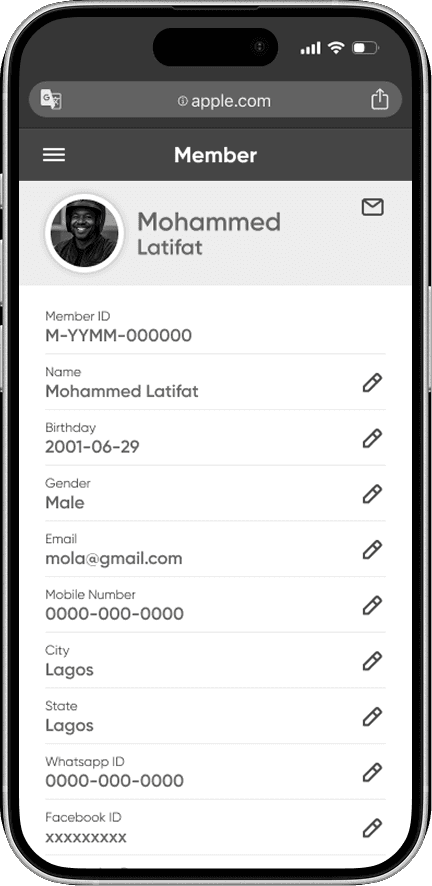
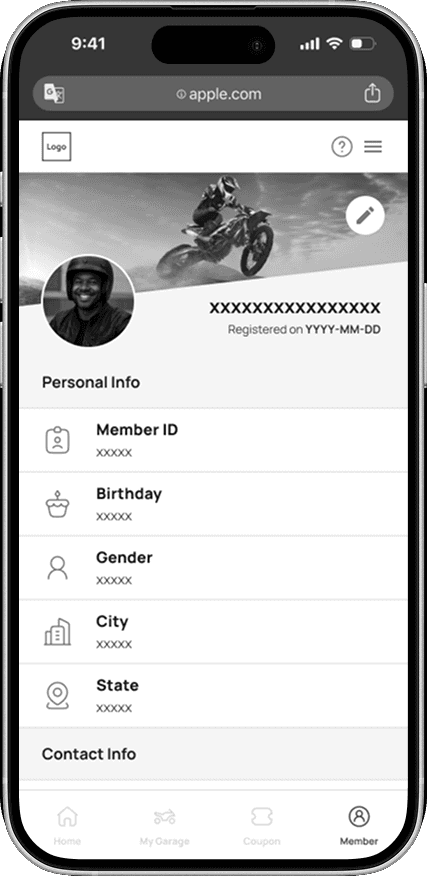
Member

Design decision:

Improve identification by adding icons

Structure clear visual hierarchy by grouping similar options, highlighting title, and simplify edit buttons.

Before
After
Design Variations

Propose different UI designs to the client in order to decide the product visual tone

The client had chosen B (High product identification) instead of A (Fun & playful)

A

B

02

Balance Business’s & User’s Needs

Improve product’s usability and user friendliness

Before & After

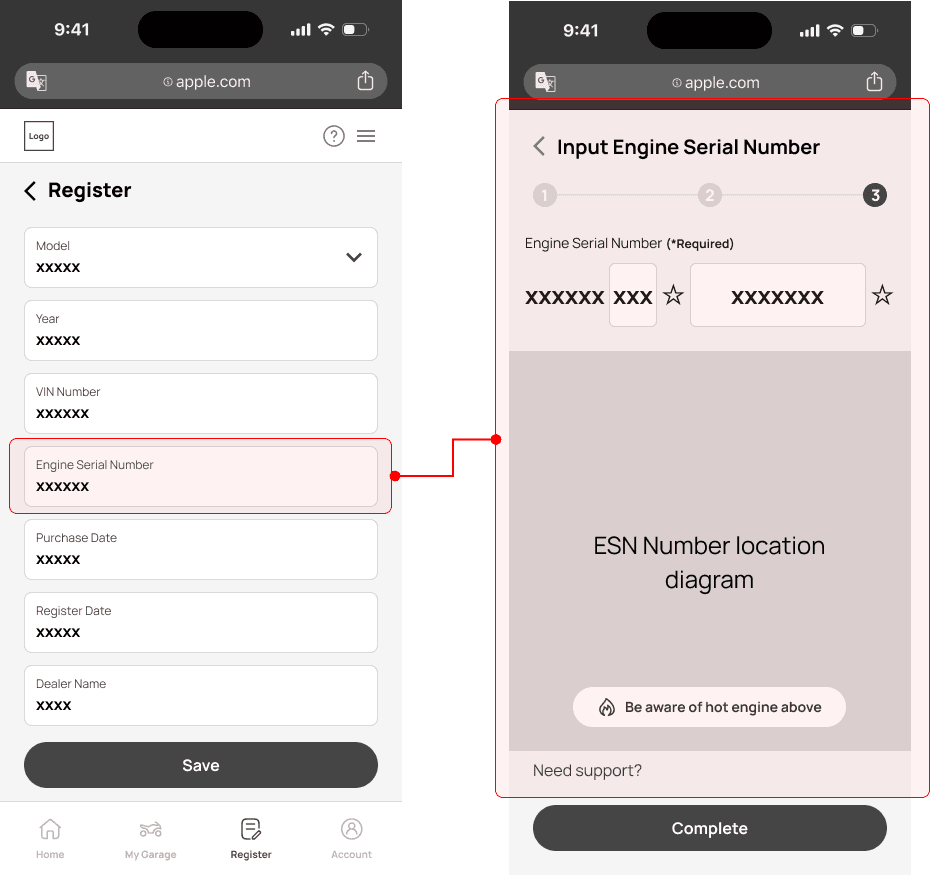
Product Registration Process

*Red area displays the changes (left to right, after 3 times iterations) for improving the product registration process.
Business’s & User’s Pain Points

01

Some serial numbers are easy to enter incorrectly

Numbers include B/8, O/0, and S/5 are easy to confuse users when they input the digits on App

02

The serial number is garbled which adds frictions to users to use

Unneccessary serial numbers such as “-”, “ ”, “” may confuse users

03

Hard to locate the serial numbers on the first user’s product

Lack of clear instructions for locating two serial numbers on the product
Design Iterations

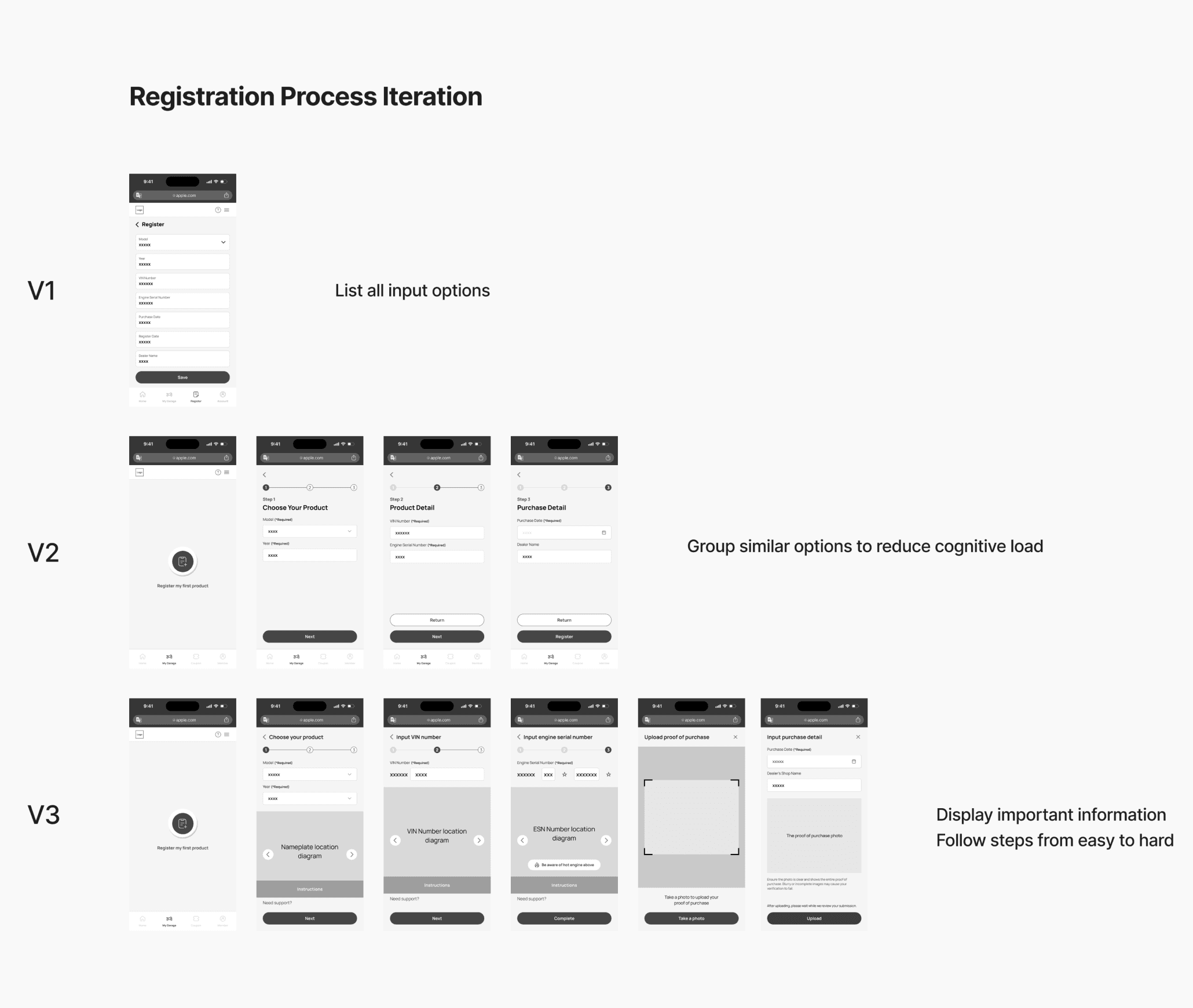
The registeration process has been iterated for 3 times


V1 to V2: Grouping related textfields to reduce information overload

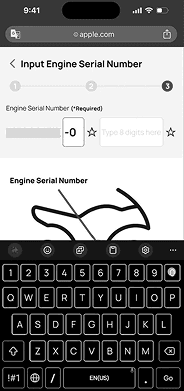
V2 to V3: Prefilling digits and dividing textfields to provide an easiler serial number input process

V3 to V4: Adding image to instruct users how to locate serial numbers on their products

Usability Testing

3 usability tests with real users has been conducted for varifying design decisions on the product registeration process

2 out of 3 users provide positive feedbacks on the V3 UI design

Final Process (V4)

The final (V4) product registration process is shown below:

03

Design System & HandOff

Implementing system thinking into existing product

Design System

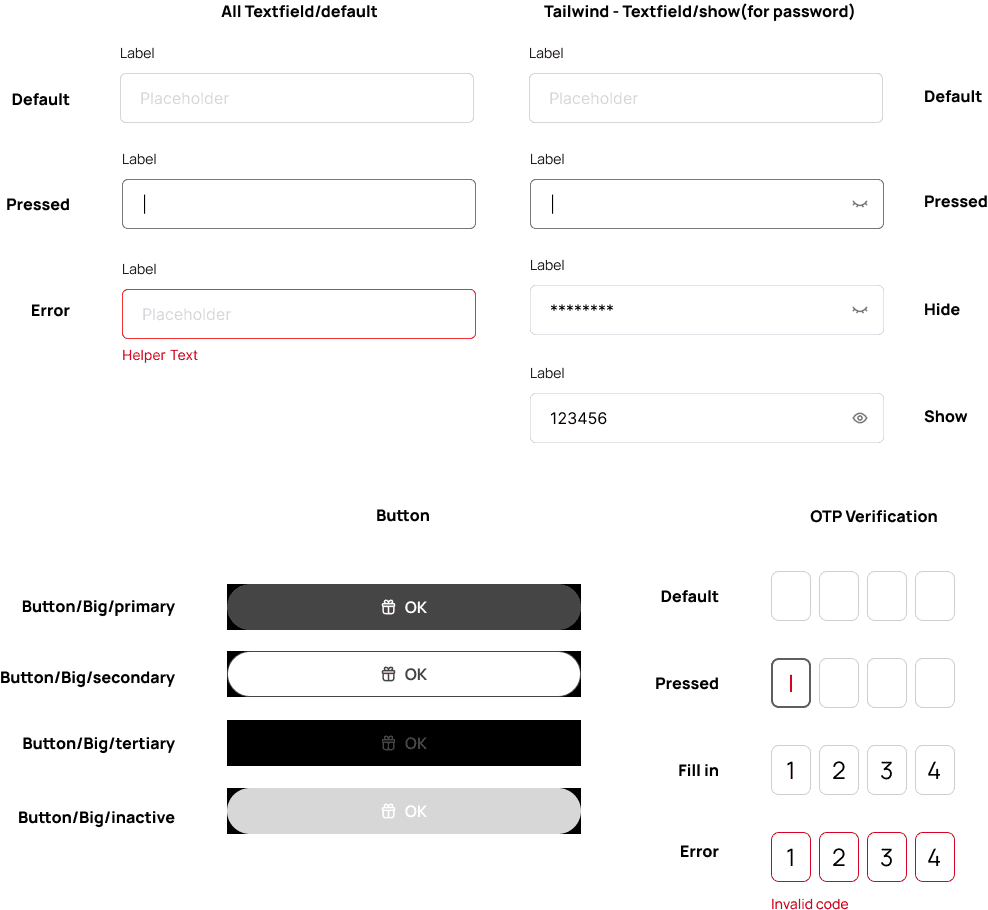
Component

Decided with the front-end developer, we use an online third-party react component database, TailGrids, for the reusable components on the App. The design system was built based on TailGrids components and little adjustments.
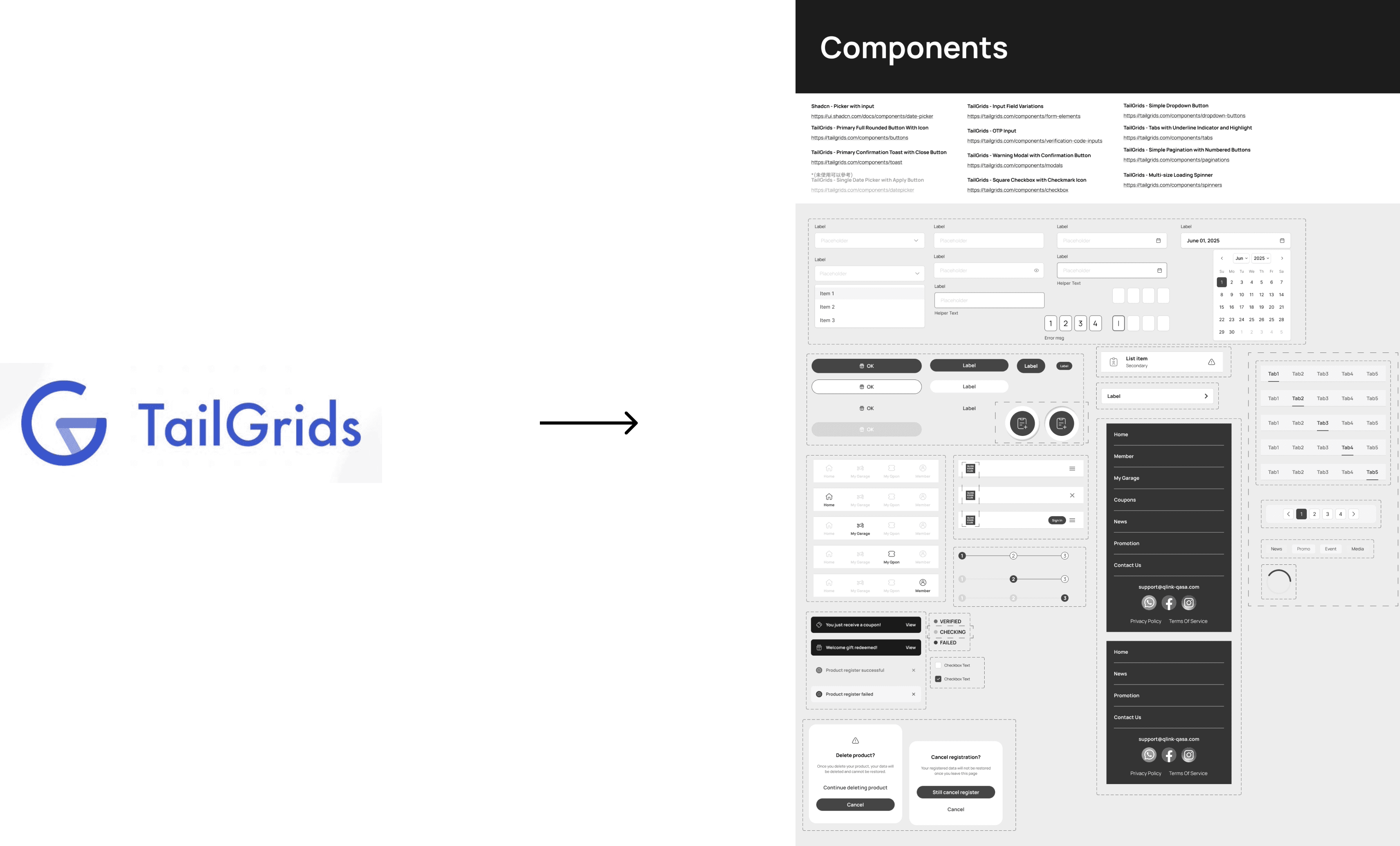
Design System

Color & Typography

The brand colors and typography are established on the version 2 UI design to maintain design consistancy
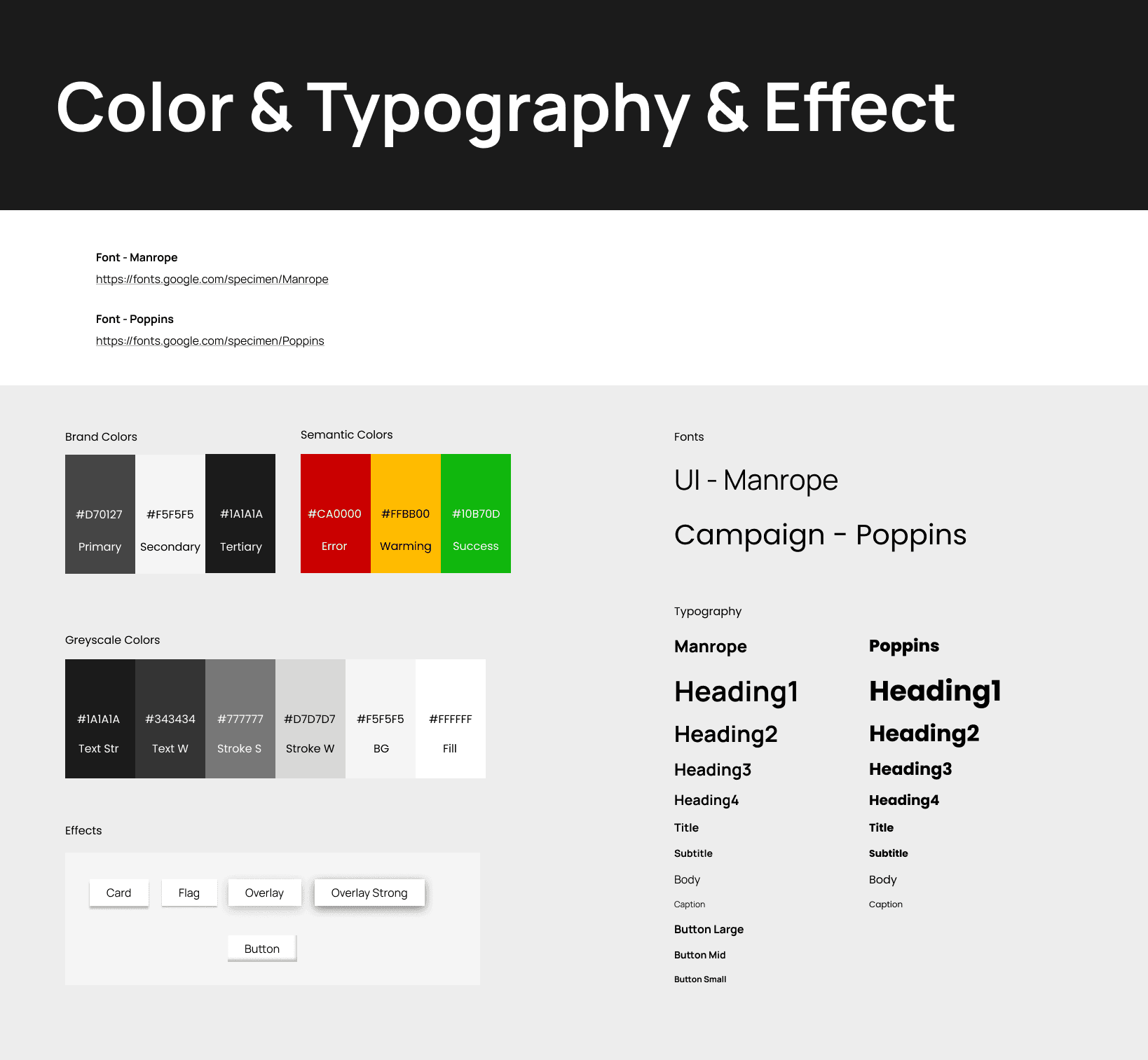
HandOff File

UI Core & Spec & State

The HandOff file to developers is carefully filed by listing features, specs, states, and animation in detail
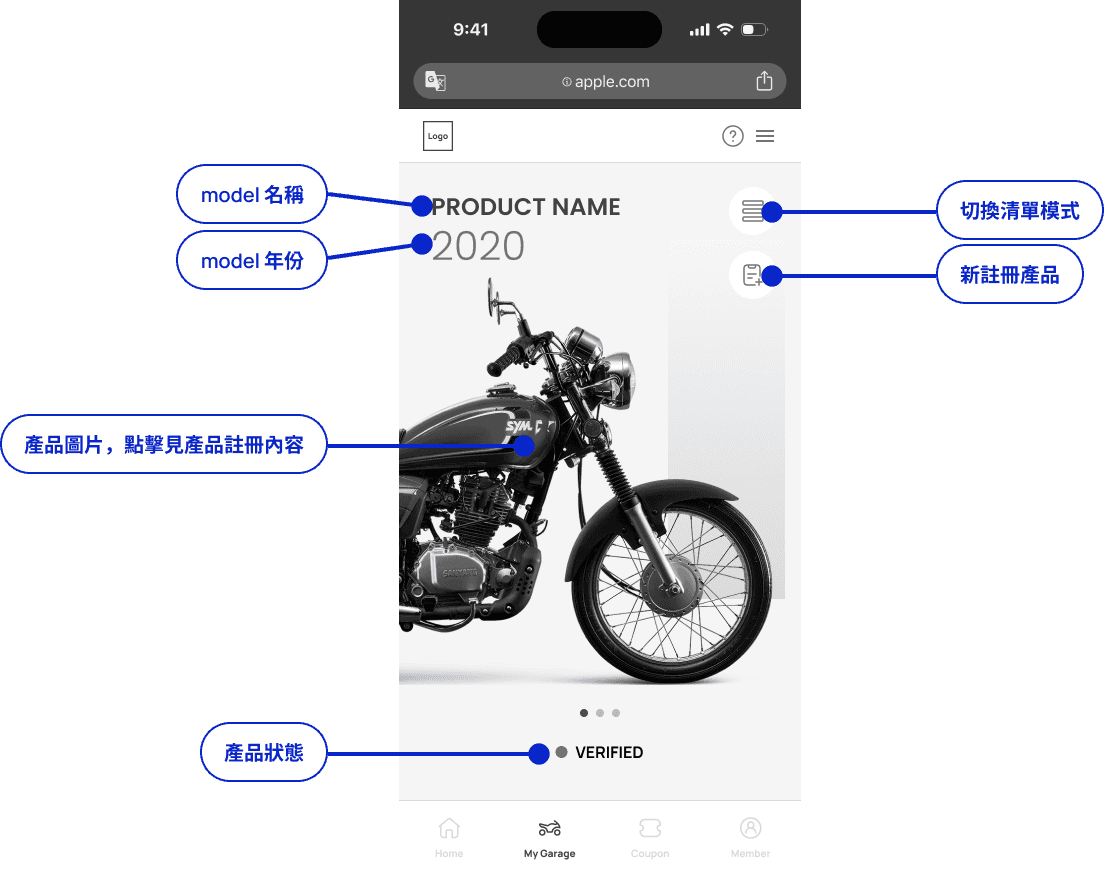
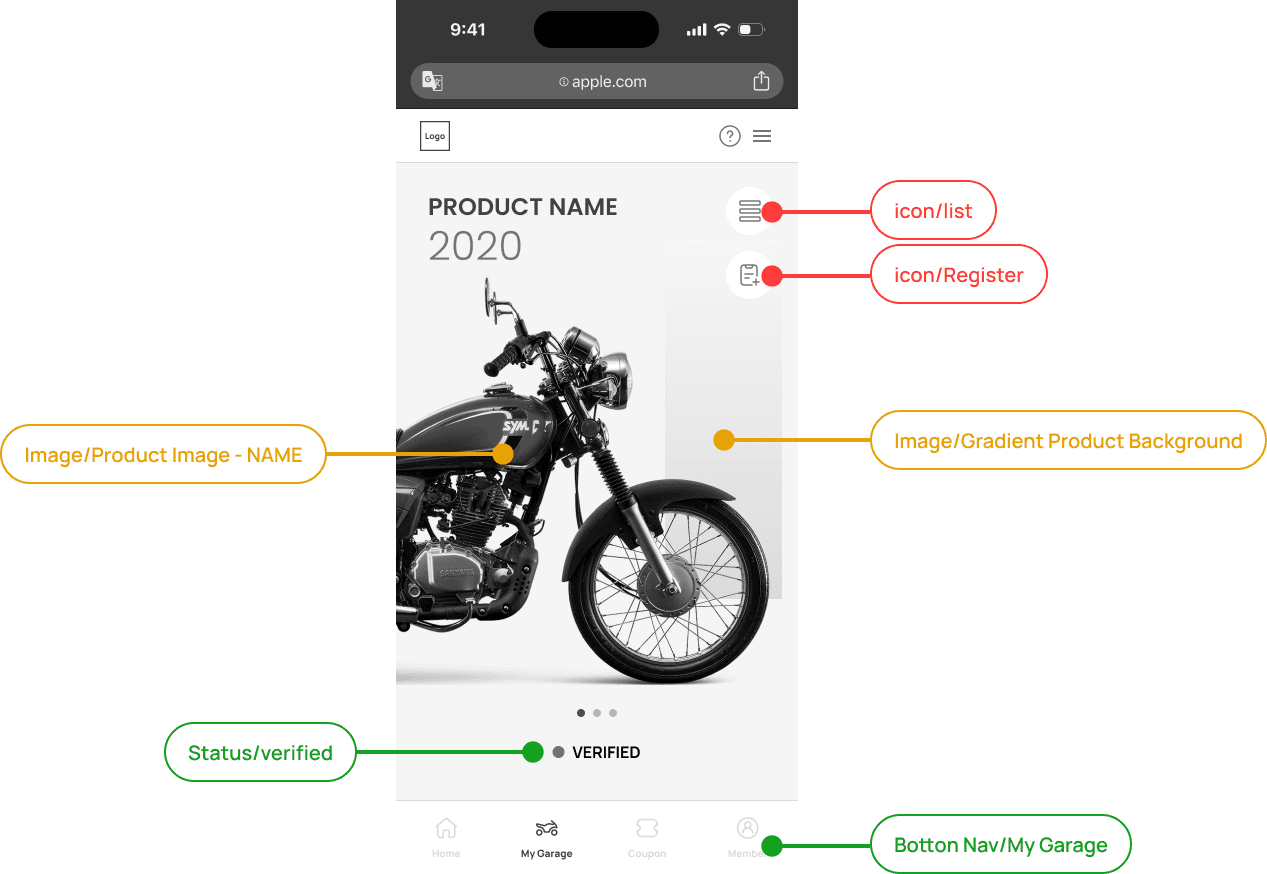
HandOff File

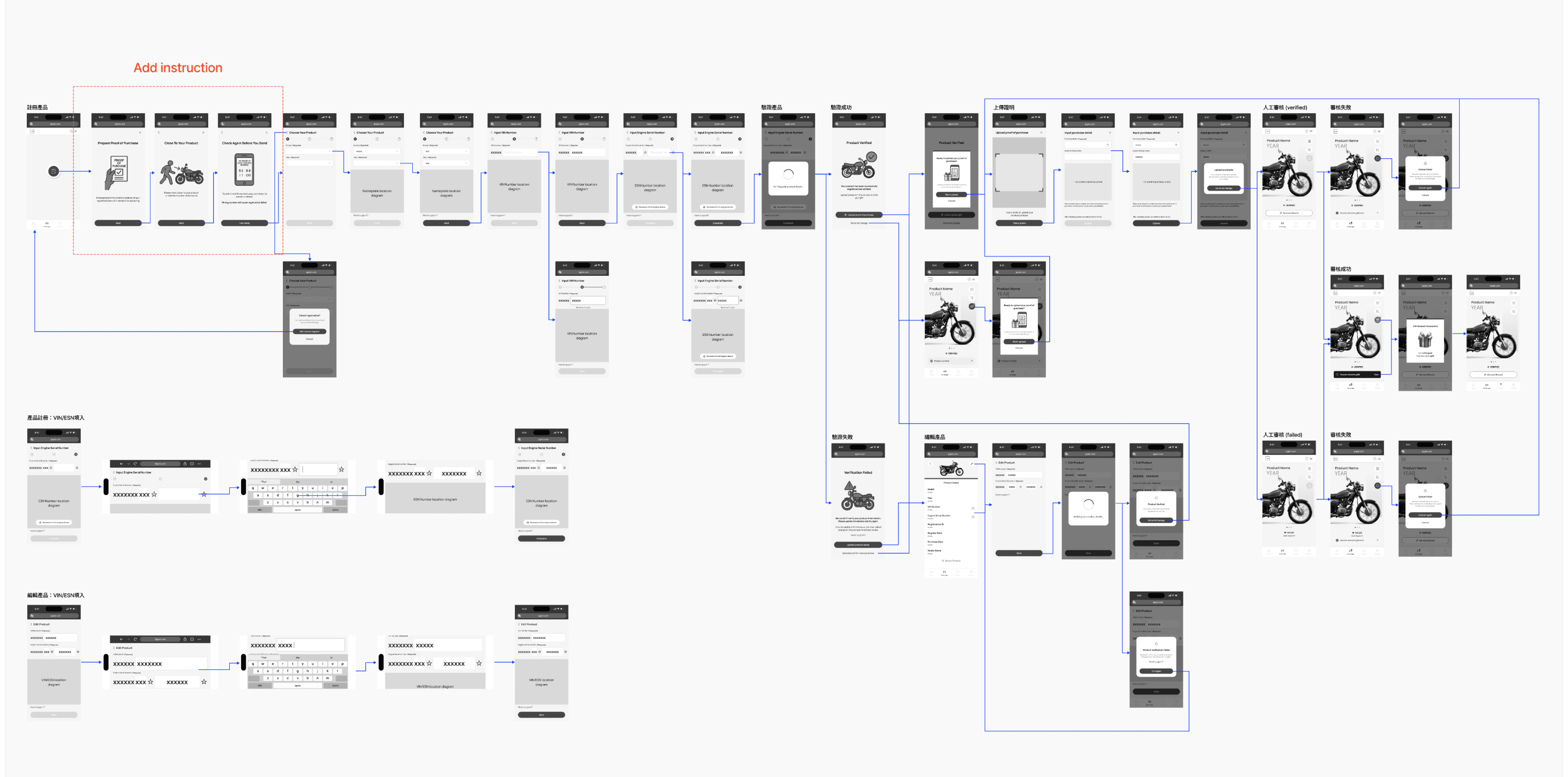
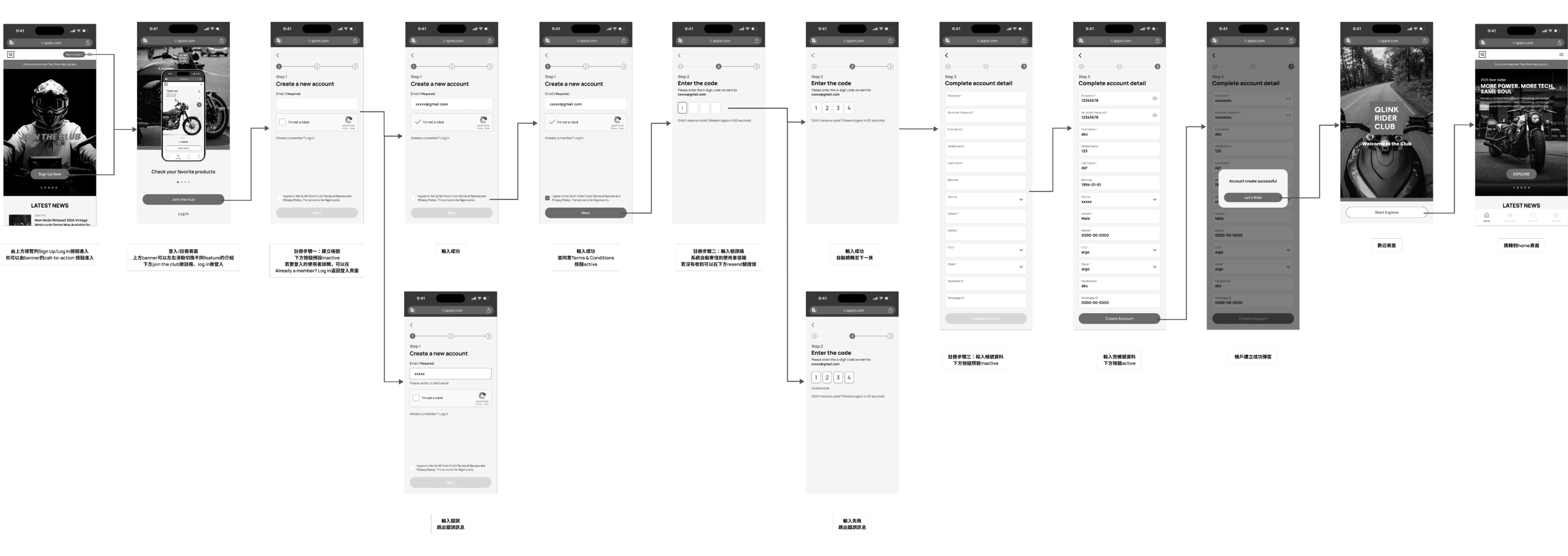
UI Flow

All the UI flows are also being recorded with arrows and descriptions, which provides a clear communication with front-end developers

Learning and Takeaways

01 - Designers solve not only user’s problems but also business’s pain points

The primary purpose of this product is to allow client’s company to collect their consumer’s data to help the company grow. Initially, the client clearly stated that the users had no pain points or needs to address, which gave me a major headache, but also made me rethink the value of the product: it's not just about solving user problems, but also about helping businesses increase revenue.

02 - There are no perfect HandOff file... only consistent communication

In collaborating with engineers, I initially assumed that the initial deliverables had to be perfect. However, it turned out that clients would make changes, and the design drafts couldn't possibly cover all the details. The first deliverable must be prepared for imperfection. What I learned is that it's best to communicate the definition of the deliverables with the engineers from the outset: the deliverables should be iterated over time, and continuous communication and collaboration are essential.

03 - Conduct usability tests is a good habit in the product development process

In this project experience, I referenced the concept from the book "Don't Make Me Think": the earlier and more continuous user testing is conducted, the better the product will be. I firmly believe that this concept has helped me and given me more confidence in the product development process.

Create a free website with Framer, the website builder loved by startups, designers and agencies.